What is Winamp?
Winamp is an iconic media player designed for playing audio and video files, working with streaming radio, and organizing local media libraries. The program is tailored for listening to high-quality music across various formats (MP3, FLAC, WAV, and others), organizing music collections, streaming, and fine-tuning audio performance without putting a heavy load on the operating system.
You can download Winamp (2026) for Windows, Android or iOS for free from the official website using the link at the end of the article.
Features:
- Broad format support. Playback of all popular audio and video formats (MP3, AAC, FLAC, WAV, WMA, Ogg Vorbis, AVI, MP4, MKV).
- Legendary visualizers. A built-in module featuring dynamic graphic effects that sync with the rhythm and frequency of the music.
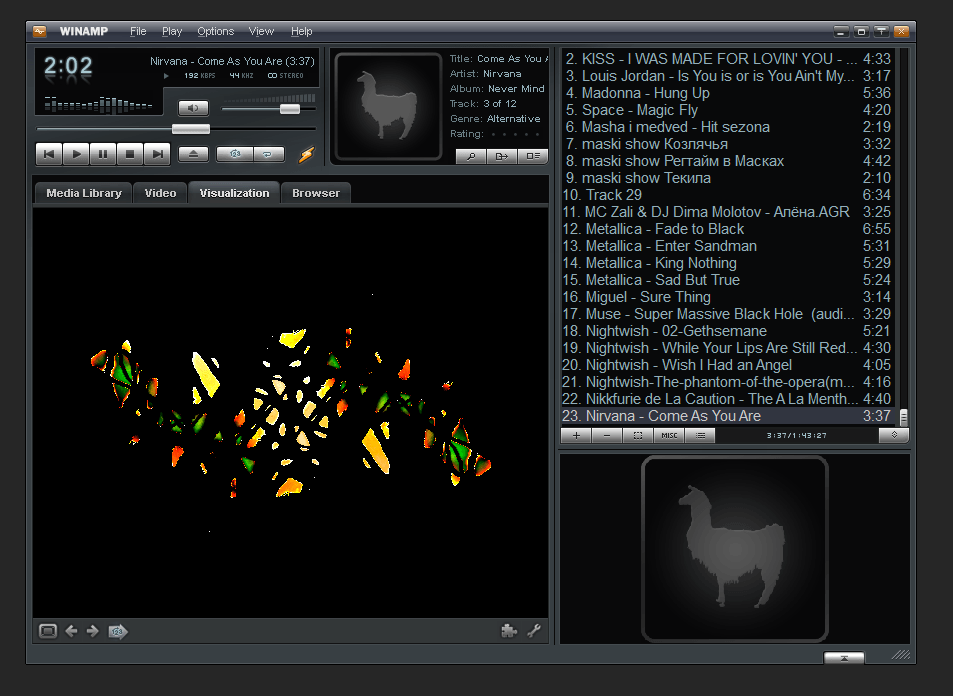
- Customization. Support for classic (Classic) and modern (Modern/Bento) skins, as well as hundreds of user-created plugins to expand functionality.
- Advanced equalizer. A 10-band equalizer with preset profiles (Presets) for various genres and the ability to smoothly adjust frequencies.
- Media library and smart playlists. Automatic folder scanning, tag editing (ID3v1/v2), album art lookup, and gapless playback support.
- Internet radio and podcast support. Integration with SHOUTcast Radio catalogs to listen to thousands of online stations from all over the world.
How to use Winamp?
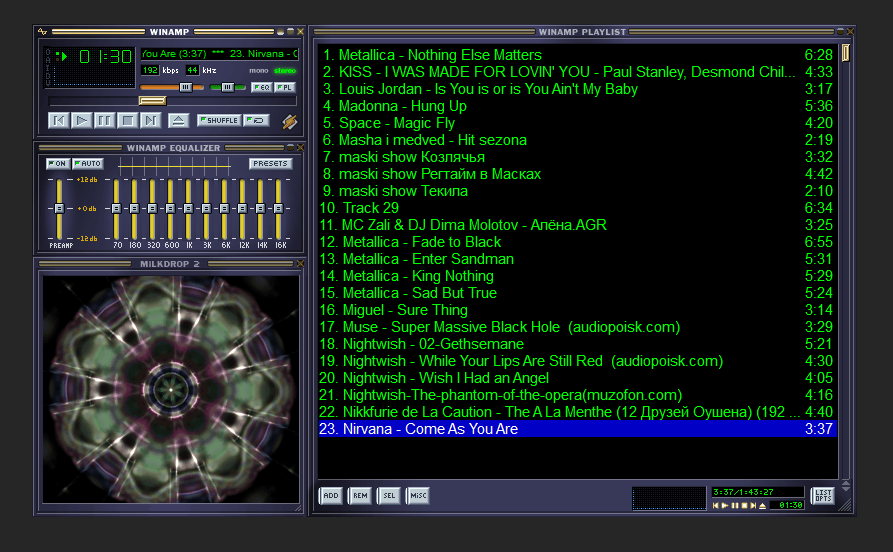
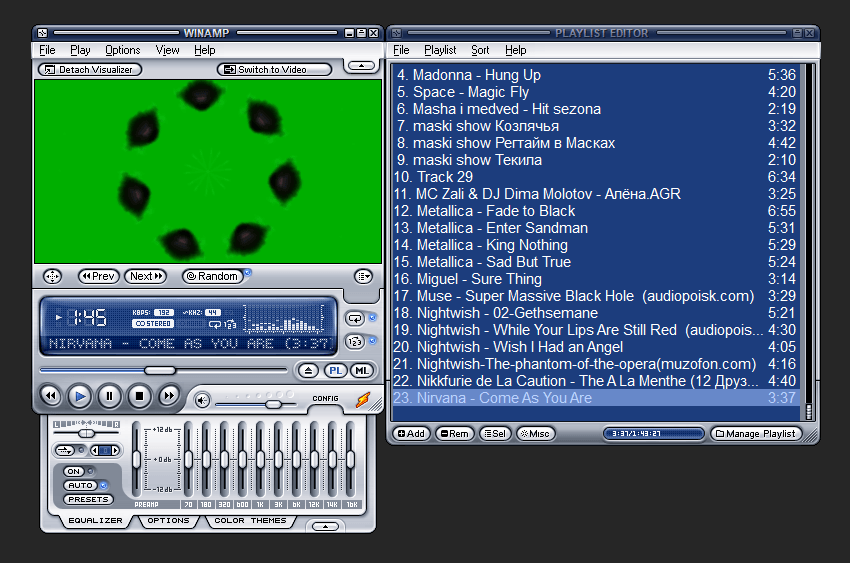
To get started, download Winamp and install it on your computer. During installation, select your preferred interface type (Classic Skin for minimalism, or Bento/Modern). After launching, you will see the classic, iconic Winamp interface consisting of several modules that can be freely moved and snapped together:
- Main window. Playback controls, display with timer, bitrate, and a scrolling track title bar.
- Equalizer. Frequency sliders and effect switches.
- Playlist editor. Current tracklist with quick search functionality and Drag-and-Drop support.
- Media library. Navigation tree covering your entire collection, radio stations, and podcasts.
To play music, simply drag and drop your music folder directly into the playlist editor window or specify its path via "Import", and then press "Play".
Pros:
- Low resource consumption. The classic Winamp player consumes virtually no CPU or RAM resources.
- Incredible customization capabilities. Thousands of available skins completely alter the visual design and element layout.
- Powerful visualizer. MilkDrop 2 remains one of the best music visualizers in history.
- Gapless playback and ReplayGain. No pauses between tracks and automatic album volume normalization.
Cons:
- Complexity for streaming-oriented users. The PC version focuses on local files and is not integrated with Spotify, Apple Music, or similar services.
- Outdated default interface. The default small font and UI elements can look overly tiny on modern 4K monitors without scaling.
Conclusion
Winamp is a timeless classic and a symbol of the 2000s digital music era. Despite the industry's shift toward streaming services, the player remains one of the best solutions for storing and listening to local music files on PC thanks to its lightweight nature, iconic visualizers, and phenomenal customization.
You can download the latest version of Winamp (2026) for Windows, Android, and iOS for free from the official website using the link below.