What is Rufus?
Rufus is a free utility for formatting and creating bootable USB drives (flash drives, memory cards, etc.). The main purpose of Rufus is to turn a regular ISO image (for example, a Windows or Linux distribution) into a working bootable device. It solves the problem of installing operating systems on computers without optical drives, flashing BIOS from DOS, or running low-level data recovery utilities.
The program is perfectly suitable for both regular Windows users and advanced system administrators who need to quickly reinstall an operating system on a computer.
You can download Rufus (2026) for free to your computer using the link at the end of the article.
Features:
- Allows you to install a full Windows OS directly onto a USB drive so you can run it on any computer without installing it on a hard drive.
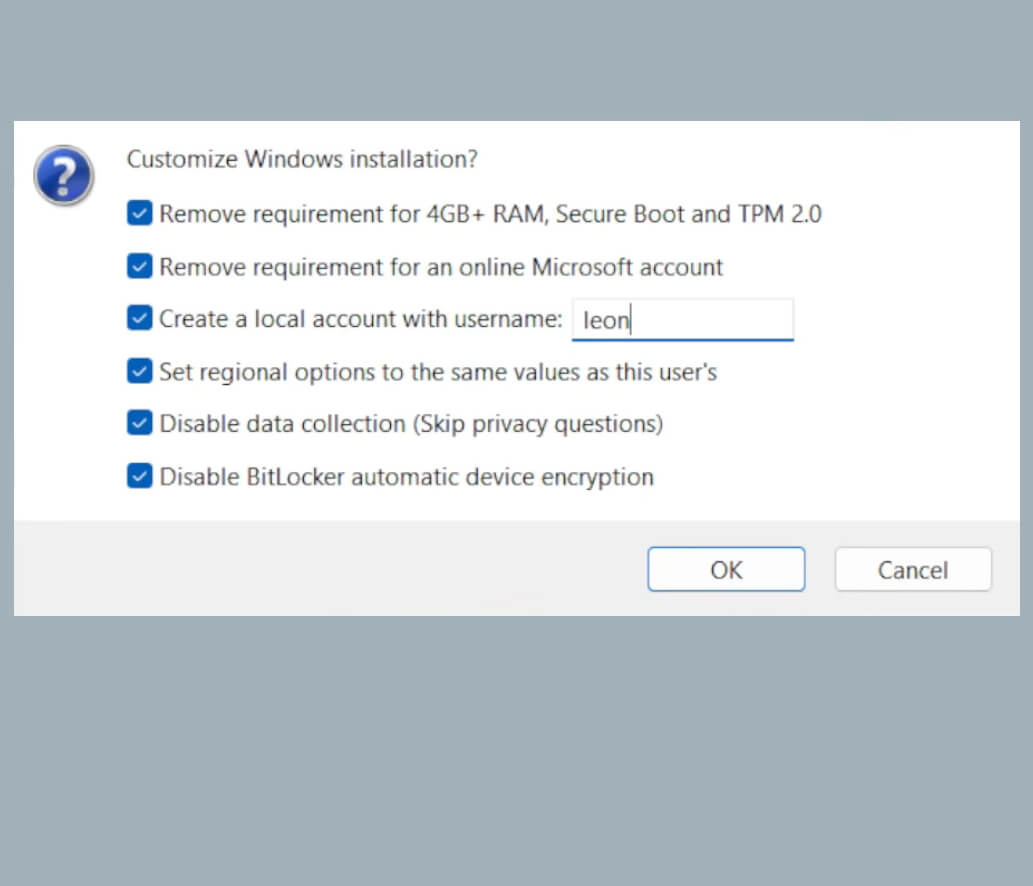
- Rufus can automatically remove TPM 2.0, Secure Boot, and Microsoft account requirements when creating installation media.
- Built-in formatting function with bad block and bad sector detection.
- According to developer tests, Rufus works about twice as fast as similar tools (such as UNetbootin or Universal USB Installer) when creating a bootable Windows 7, 10, or 11 USB drive.
How to use Rufus?
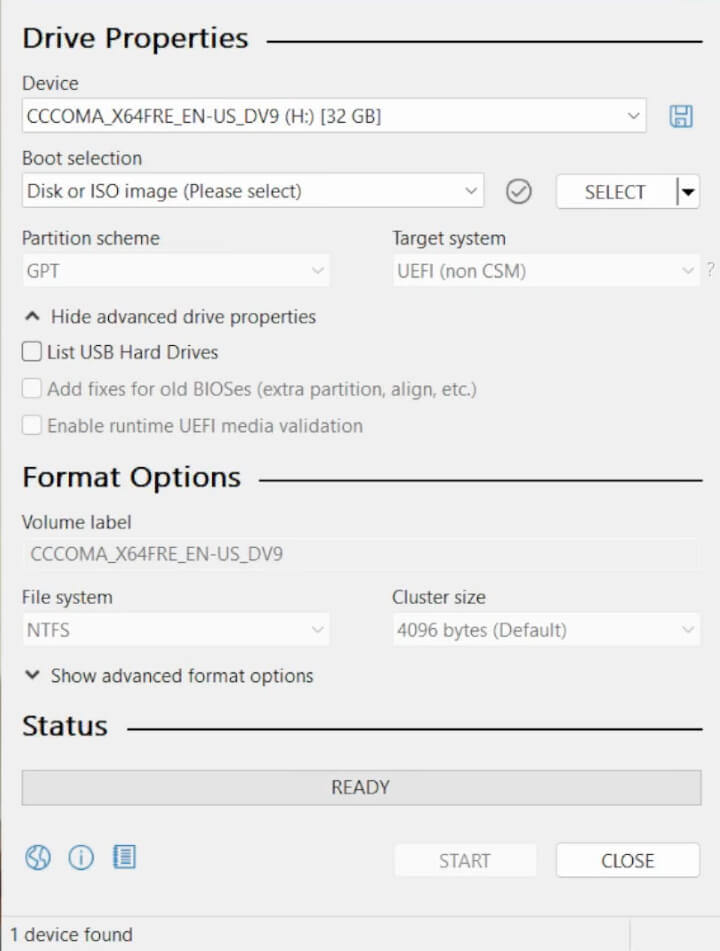
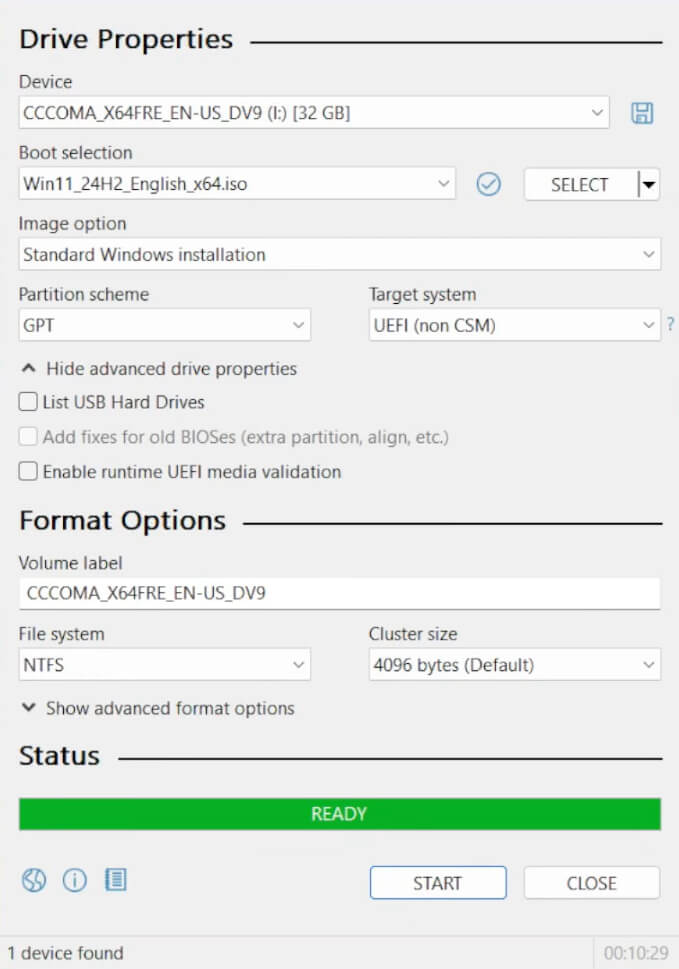
The Rufus interface is a single compact classic Windows window. From top to bottom, it contains settings for device selection, image selection, partition scheme and file system parameters, and at the bottom — the “Start” button and a progress bar.
To begin writing the image: connect a USB flash drive, format it, specify the path to the Windows ISO image, choose the required partition scheme (UEFI or legacy MBR), and click the “Start” button. For Windows 11, a window may appear allowing you to modify options (such as disabling TPM and other requirements). After completion, it is recommended to verify the final checksum to ensure the integrity of the write process, and then you can safely remove the USB drive.
Pros:
- Rufus can be downloaded for free for Windows, including a portable version that does not require installation.
- No ads or intrusive subscriptions.
- The software supports many languages.
- Developers keep the program up to date by releasing new versions and fixing bugs.
Cons:
- Rufus can only be installed on Windows OS, although it can write macOS, Linux, and other images.
- One bootable USB drive is intended for creating an image of only one operating system (which is not critical for most regular users).
Summary
Rufus is a popular, clear, and simple program for quickly reinstalling Windows without unnecessary hassle. Despite the availability of more powerful multiboot tools, Rufus remains a top choice thanks to its reliability and unique features such as bypassing Windows 11 restrictions.
You can download the latest version of Rufus (2026) for free from the official website using the link below.